Case study · 2026
Focus
Pomodoro & Productivity App · Full-stack web application
A focused productivity workspace for planning tasks, completing Pomodoro sessions, and understanding how focused time adds up.
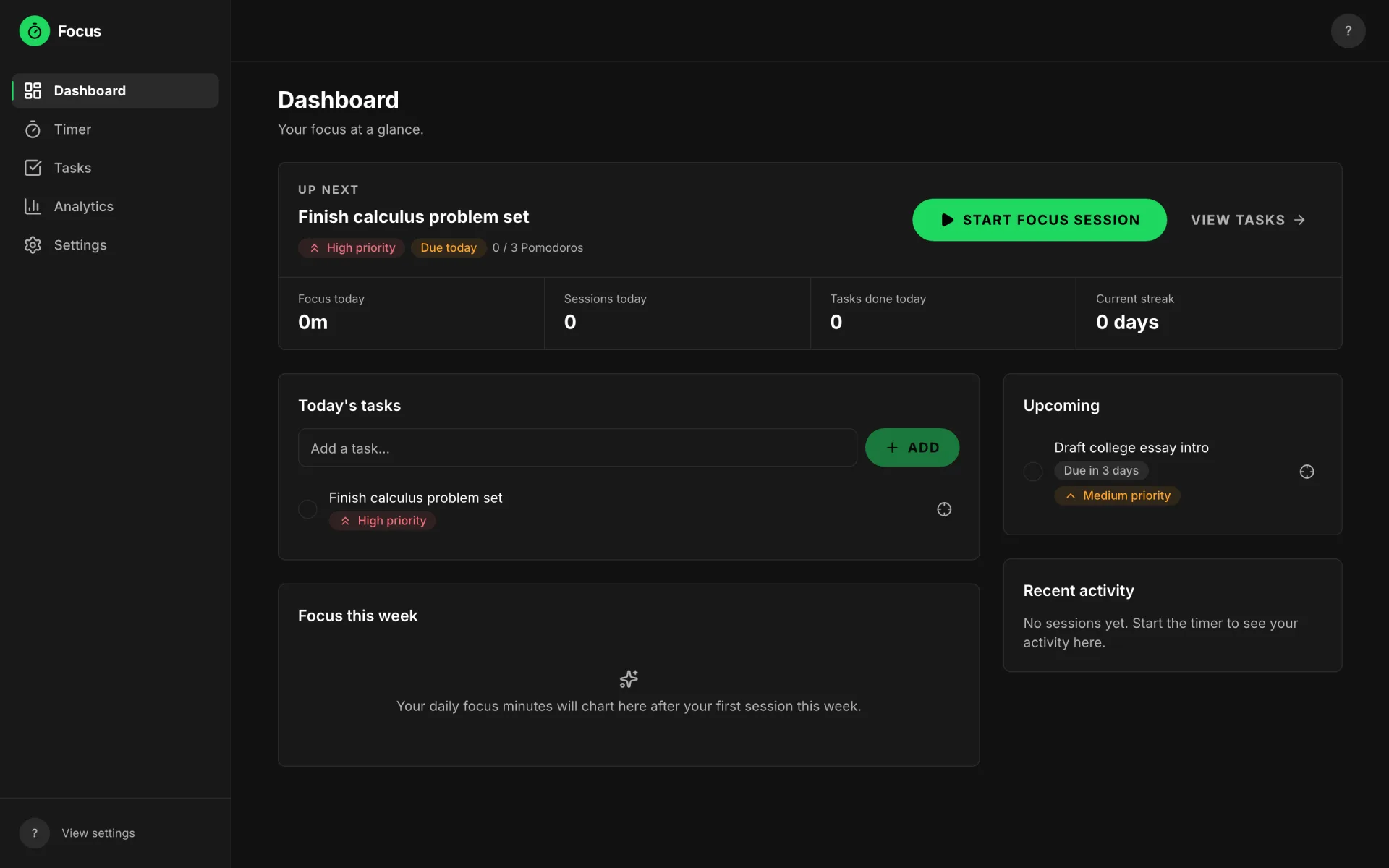
01Overview
One workspace for focused work
Focus is a Pomodoro timer, task list, and progress tracker in one place — built for students, makers, and anyone who does deep work. It works instantly without an account, and signing up keeps everything you've already done, synced across devices.
- Pomodoro focus sessions with short and long breaks
- Custom session lengths and long-break cadence
- Auto-start options for breaks and focus sessions
- Chime and browser notifications at session end
- Task planning with priorities and due dates
- Pomodoro estimates and per-task session counts
- A selected focus task tracked by the timer
- Daily, weekly, monthly, and all-time analytics
- Focus streaks, completion rate, and productive days
- Accounts with saved preferences and avatar
- Guest mode — try everything, keep data on signup
- Cross-device sync, light and dark themes
02The problem
Timers, task lists, and stats live in different apps
Most productivity tools split the work cycle into separate experiences: a timer app counts the minutes, a to-do app holds the plan, and a tracker (if one exists at all) lives somewhere else. That creates friction at exactly the wrong moments — deciding what to work on, staying in the session, and seeing whether the effort added up to anything.
Focus connects those three stages in a single loop: the task you pick is the task the timer tracks, and every completed session feeds the same personal analytics. Nothing has to be copied between apps, so the loop from planning to focus to review stays unbroken.
03The solution
The central workflow
- Create or pick a task — with a priority, a due date, and an estimate of how many Pomodoros it needs.
- Select it for focus — the timer shows "Focusing on: …" so the session has a purpose.
- Run a Pomodoro — 25 minutes by default, fully customizable, accurate even in a background tab.
- Take the break the app suggests — short breaks between sessions, a long break after every fourth.
- Review the numbers — completed sessions roll up into focus time, streaks, and completion rate.
- Tune the system — durations, auto-start, sound, notifications, timezone, and theme all adjust to fit.
04Core features
Four surfaces, one loop
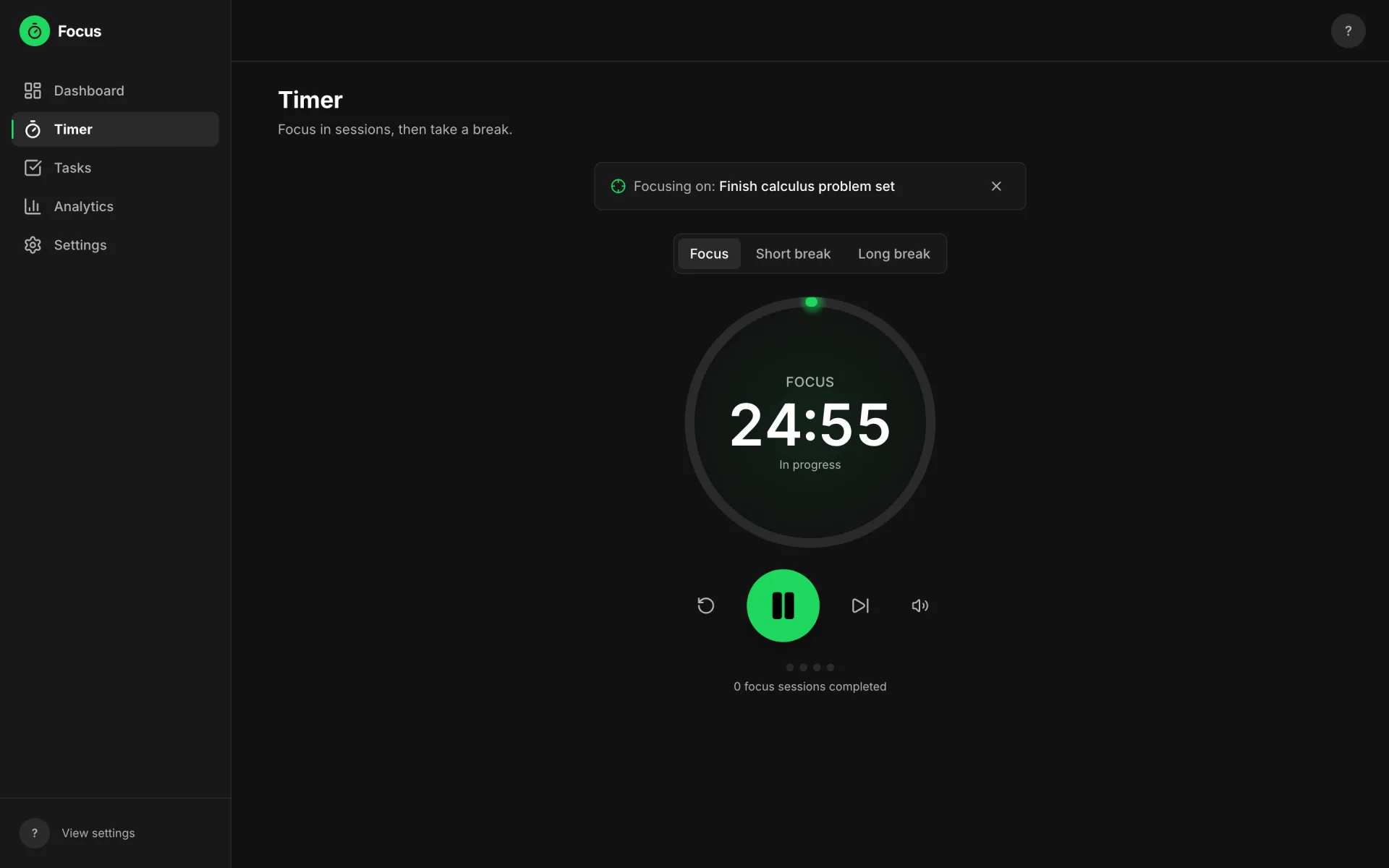
A focus session in progress, tracking a selected task
Timer
Sessions that survive a background tab
Focus, short-break, and long-break modes with custom lengths, optional auto-start, and a chime or browser notification when time is up. The countdown is computed from an absolute end timestamp, so it stays accurate through tab switches and refreshes.
Why it mattersA timer you can't trust breaks the whole method — accuracy is the product.
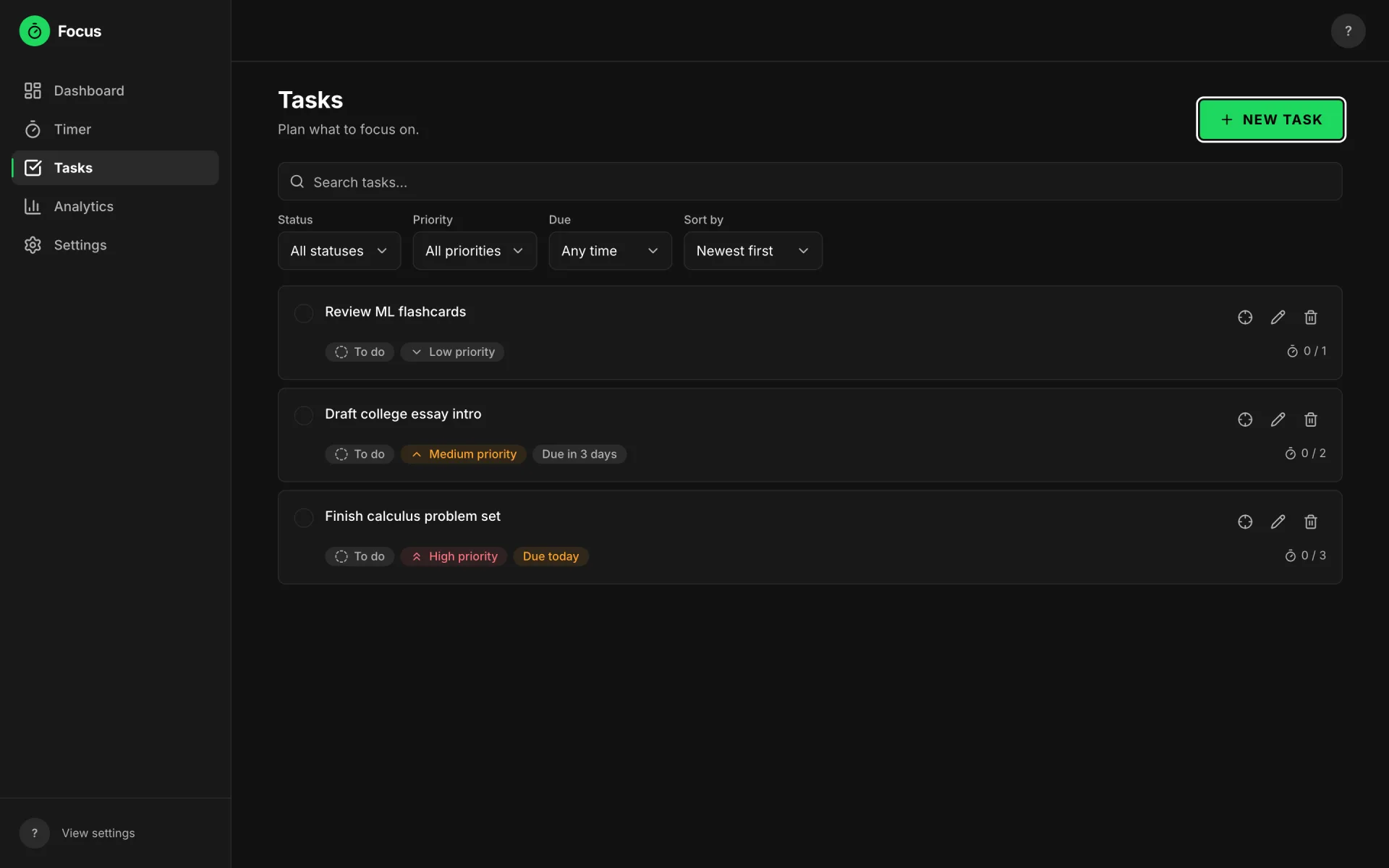
Priorities, due dates, and Pomodoro estimates per task
Tasks
Plan what the sessions are for
Tasks carry a priority, an optional due date, and an estimate of how many Pomodoros they'll take. Filters and search keep long lists workable, and any task can be selected as the current focus — completed sessions count toward its estimate.
Why it mattersEstimating in Pomodoros turns a vague to-do list into a concrete plan for the day.
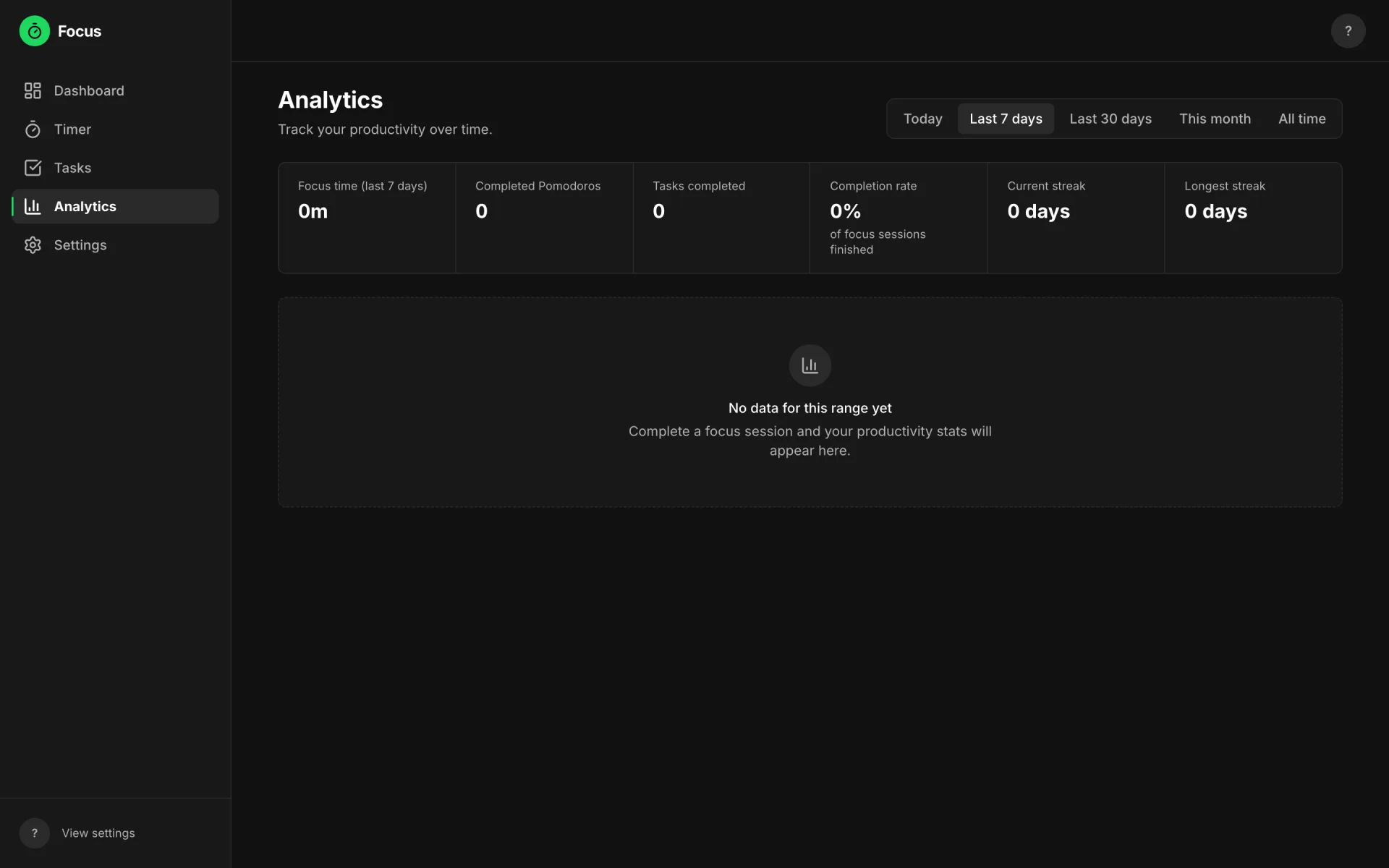
Fresh-account empty state — charts appear after the first sessions
Analytics
Real numbers from your own sessions
Daily, weekly, monthly, and all-time views of focus time, completed Pomodoros, completion rate, current and longest streaks, and most productive days. Only completed focus sessions count — breaks and abandoned attempts never inflate the totals.
Why it mattersProgress you can see is the feedback loop that keeps the habit going.
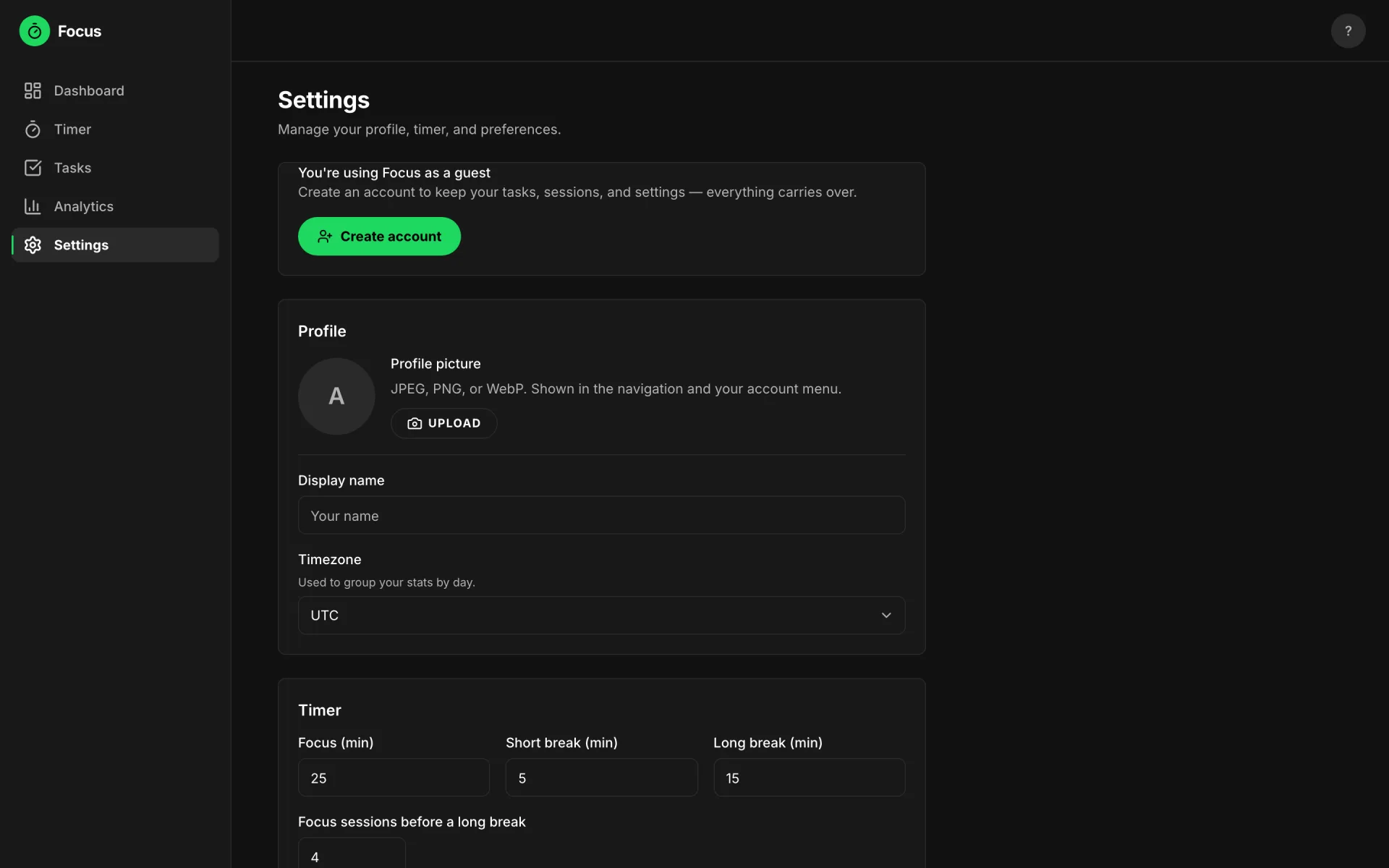
Profile, timezone, and timer preferences — saved to the account
Settings & account
Your system, saved everywhere
Accounts handle sign-up, login, and password reset; preferences cover display name, avatar, timezone, session durations, long-break cadence, auto-start, and sound. Everything a guest does is saved server-side, so creating an account later keeps tasks, sessions, and settings.
Why it mattersA productivity system only sticks if it follows you across devices without setup.
05Product tour
From landing page to first session
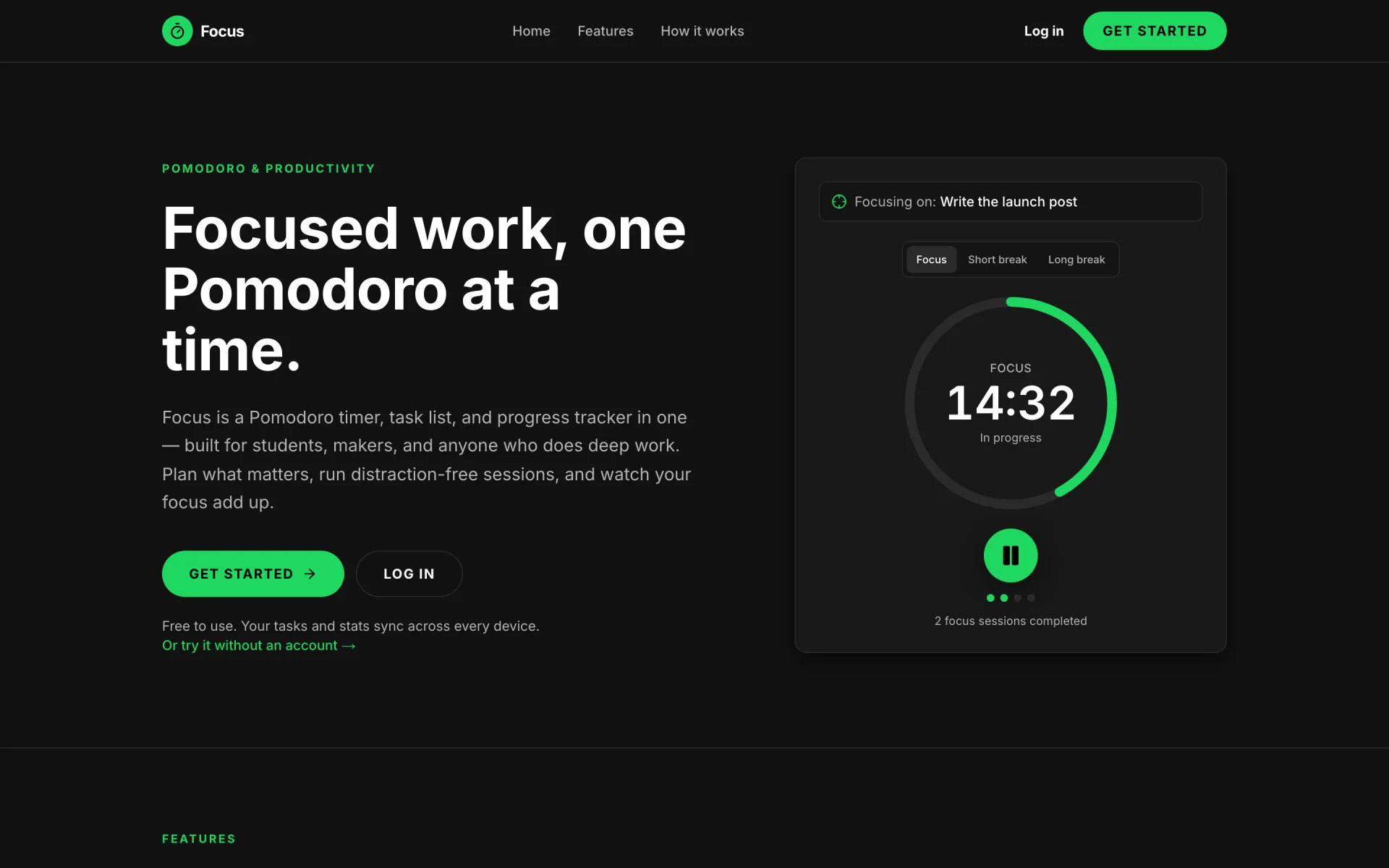
The public landing page — get started, log in, or try it without an account
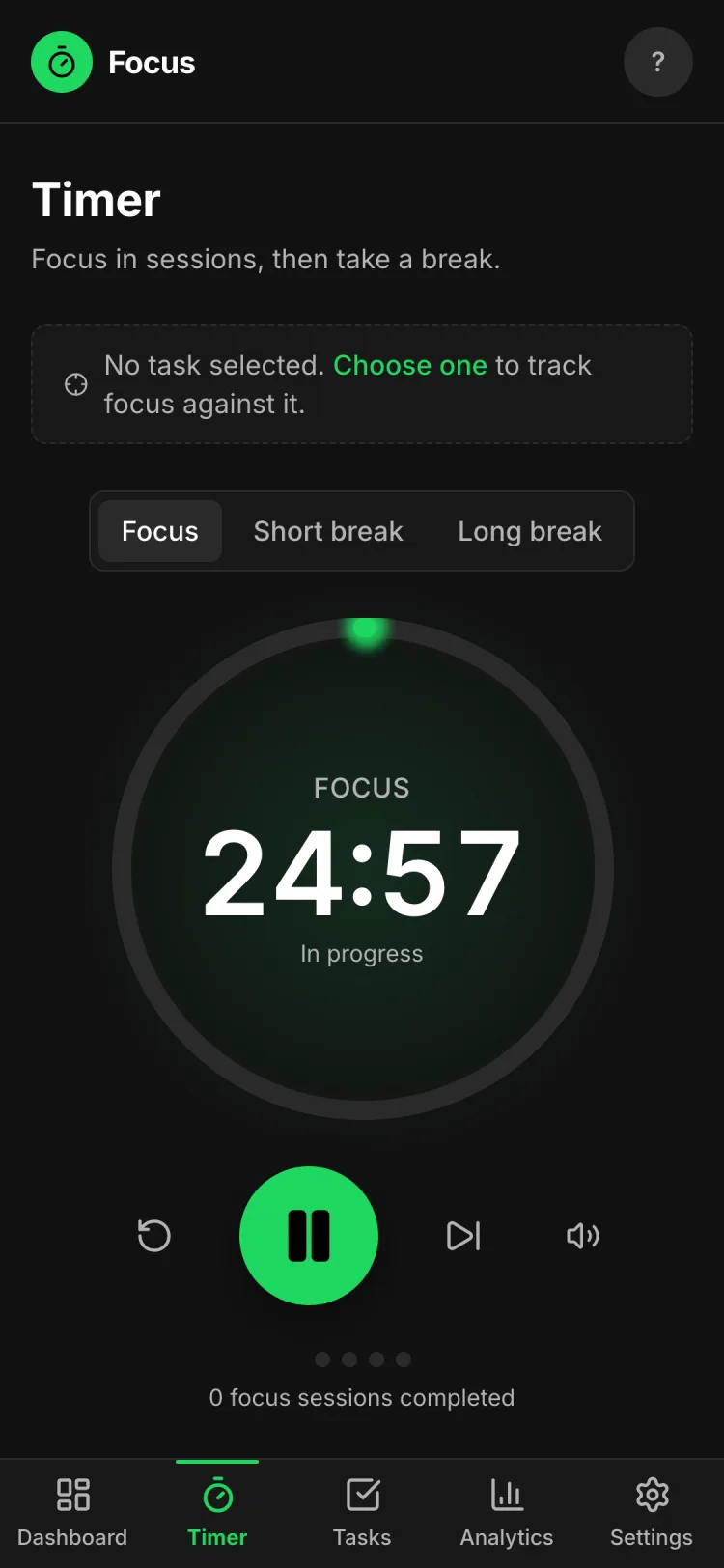
A typical first run
- Land — and either create an account or continue as a guest.
- Plan — add a few tasks on the dashboard or the tasks page.
- Select — mark one task as the current focus.
- Run — start the timer; pause, reset, or skip if plans change.
- Break — the app rotates in short and long breaks automatically.
- Review — watch analytics and streaks build from real sessions.
06Design decisions
Calm by default
- The timer is the biggest thing on its screen. During a session the ring and countdown dominate; navigation and secondary controls stay quiet so there's nothing to fiddle with.
- Tasks and sessions are one system, not two features. The "Focusing on" bar keeps the selected task visible in the timer, and completed sessions count against that task's estimate.
- Progress is reported, not gamified. Analytics show real focus minutes, streaks, and completion rate from the user's own sessions — no points, badges, or invented scores.
- The dashboard answers "what now?" An "Up next" card surfaces the highest-priority task with a one-click Start focus session button, so the day starts with a decision already made.
- Light and dark themes, chosen by the user. Long sessions happen at all hours; the interface adapts instead of forcing one mood.
- Mobile is a first-class layout, not a shrunk desktop. Small screens get a bottom navigation bar and touch-sized timer controls, as in the phone view above.
07Technical implementation
The stack, verified from the repository
I built every layer of Focus myself — the interface, the timer engine, the database schema and its security rules, and the deployment pipeline. "Full-stack" here means the React front end, the Next.js server layer, and the Postgres data model are all mine; Supabase provides the managed authentication and database infrastructure underneath.
- Framework
- Next.js 16 (App Router) · React 19 · TypeScript
- Styling
- Tailwind CSS 4, with a small library of hand-built UI components
- Auth & data
- Supabase — SSR auth (including anonymous guest sessions and password reset), Postgres with row-level-security policies written as SQL migrations, and storage for avatar uploads
- Timer engine
- A pure TypeScript state machine: a running timer stores an absolute
endsAttimestamp and remaining time is alwaysendsAt − now, so background-tab throttling and refreshes can't drift it - Forms
- react-hook-form with zod schemas validating tasks, settings, and auth on both client and server
- Analytics
- Pure, timezone-aware functions over session history — streaks, completion rate, and productive days are computed deterministically and unit-tested
- Charts
- Recharts, lazy-loaded so the charts bundle never blocks the timer
- Motion
- GSAP and React Spring, behind a reduced-motion hook
- Icons
- Lucide
- Testing
- Vitest + Testing Library unit tests for the engine, stats, and validation; Playwright end-to-end tests
- Deployment
- Cloudflare, via OpenNext
08Technical challenges
Three problems worth solving properly
Keeping the timer accurate in a background tab
- Challenge
- Browsers throttle JavaScript timers in inactive tabs, so a naive "subtract one every second" countdown drifts by whole minutes — fatal for a Pomodoro app.
- Why it mattered
- People start a session and switch tabs to work. If the timer lies, the method collapses.
- Approach
- The engine is a pure state machine that never counts ticks. A running timer stores the absolute end timestamp, and remaining time is always derived as
endsAt − now; every function takesnowas an argument. - Result
- Sessions stay correct through tab switches and page refreshes, and the engine is fully unit-testable because it has no side effects and no hidden clock.
- What I learned
- Derive state from timestamps instead of accumulating ticks — and code that takes time as a parameter is code you can actually test.
Making the analytics trustworthy
- Challenge
- Streaks and "most productive day" depend on what day a session belongs to — which depends on the user's timezone, not the server's.
- Why it mattered
- A streak that breaks because of a UTC boundary, or a break that counts as focus time, destroys trust in every number on the page.
- Approach
- All calculations are pure functions that take the session rows, the user's timezone, and "today" as inputs. Only completed focus sessions count as productive time; abandoned attempts lower the completion rate instead of disappearing.
- Result
- Deterministic, unit-tested stats that give the same honest answer on every device.
- What I learned
- Date math is where correctness bugs hide — pushing it into pure, tested functions is the only way to be sure.
Letting people try everything before signing up
- Challenge
- Requiring an account before the first session kills the product's first impression, but local-only guest data would vanish on signup.
- Why it mattered
- The first session is the pitch — the app has to prove itself before it earns an email address.
- Approach
- "Continue without an account" starts an anonymous Supabase session. Everything a guest does is stored server-side under that anonymous user, so upgrading to a real account keeps tasks, sessions, and settings.
- Result
- The full product — timer, tasks, analytics, settings — works from the first click, and nothing is lost at signup.
- What I learned
- Onboarding is an architecture decision: guest continuity had to be designed into the auth and data model, not bolted on.
09Outcome
Shipped and live
Focus is deployed and running at pomodoro.zayd-aziz.com (opens in a new tab). Anyone can create an account or start as a guest, plan tasks, run focus sessions on desktop or mobile, and watch those sessions build into personal analytics — with preferences and history synced across devices.
10Reflection
What I'm taking with me
The technical lessons are in the challenges above. The personal ones are mine to write — placeholders below so this section stays honest until I do.
What was the hardest part of building the timer, in your own words?
Which feature taught you the most, and why?
What would you change if you rebuilt Focus from scratch?
What feedback have real users given you so far?
What feature is next — and what will it take to build?
Try Focus
The fastest way to judge it is to run a session yourself — no account needed.