Case study · 2026
Jira Delivery Insights
AI Delivery Reporting · Python API service
A small service that pulls issues out of Jira, turns them into delivery metrics, and asks Claude to write the report a delivery lead would.
01Overview
From a project board to a written report
Jira Delivery Insights connects to a Jira Cloud project, fetches every issue, computes a handful of delivery metrics, and hands those metrics to Claude to write a short report: a summary, the risks, and recommended actions. It started as a command-line script and grew, one pull request at a time, into a deployed API.
- Fetches all issues in a Jira Cloud project
- Cursor-based pagination, however many pages
- Issue counts by status category
- Open issues per assignee, including unassigned
- Age of every open issue, and the average
- The five oldest open issues, with details
- A Claude-written report in three fixed sections
- Metrics as JSON from one endpoint
- Metrics plus report from another
- API-key protection on both
- 17 automated tests, run on every push
- Packaged with Docker and deployed
02The problem
A board shows tickets, not health
A Jira board answers "what is the status of this ticket?" very well. It answers "is this project healthy?" poorly. Getting there means counting what is open, noticing who is carrying the most work, spotting the issues that have sat the longest, and then writing it up — by hand, every time someone asks.
The counting is mechanical and the write-up is repetitive, which makes both good candidates for automation. The catch is that a language model asked to "summarize this project" will happily invent a deadline or a blocker. So the design question wasn't just how to generate a report, but how to generate one that can be trusted.
03The solution
A four-stage pipeline
- Fetch — request the project's issues from the Jira REST API, following the page cursor until none comes back.
- Analyze — reduce the raw issues to metrics with plain Python: counts, workloads, ages.
- Report — send only those metrics to Claude, with strict instructions about what it may and may not claim.
- Serve — expose the metrics and the report over HTTP, behind an API key.
Each stage lives in its own file — fetch.py,
insights.py, report.py,
app.py — and each can be run and tested
without the others.
04Core features
Two endpoints that matter
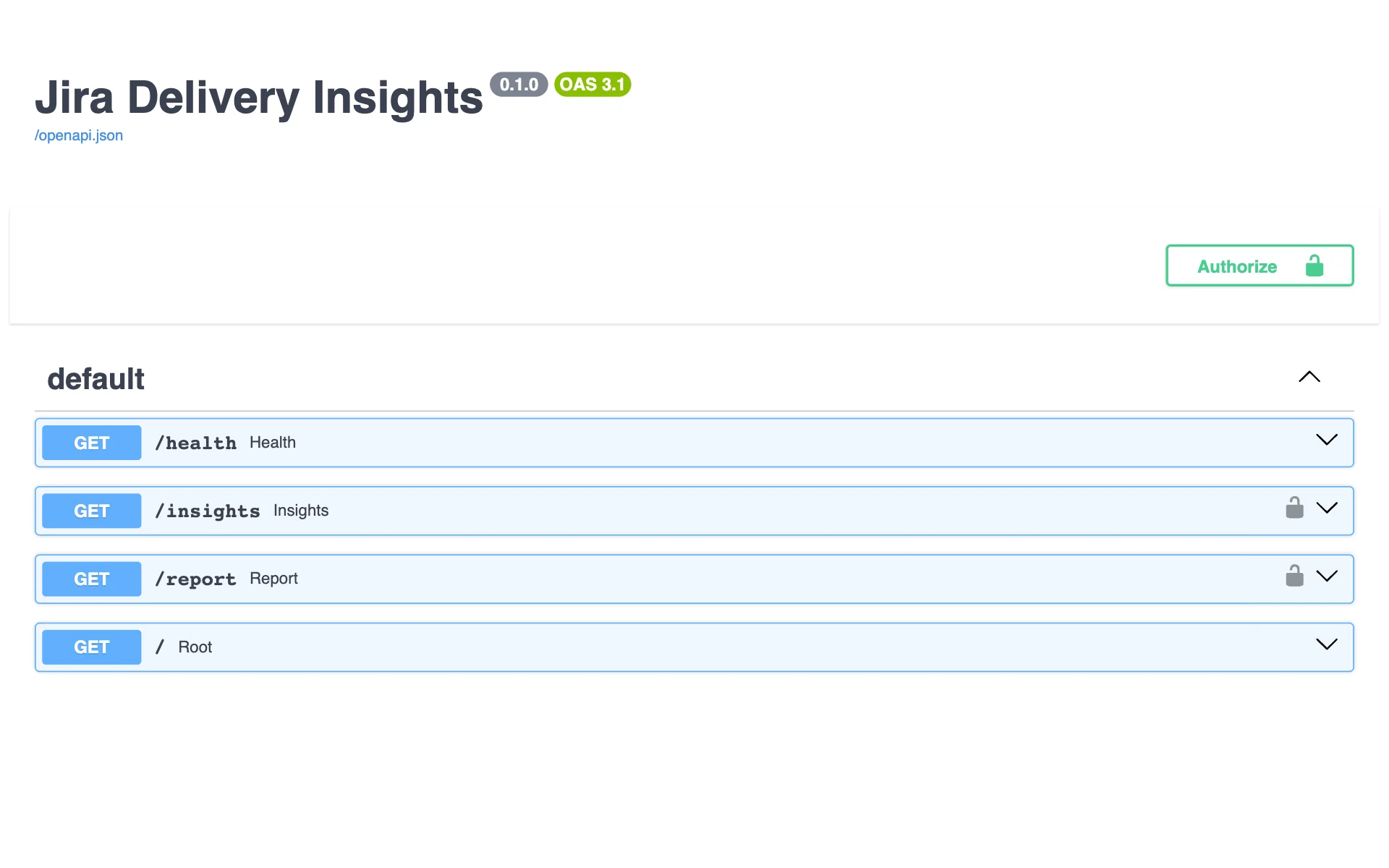
Interactive documentation, generated from the code
GET /insights
The numbers, as JSON
Returns the total issue count, counts by status category, open issues per assignee, the number and average age of open issues, and the five oldest open issues with their summary, status, and assignee. Every figure is computed in ordinary Python — no model involved.
Why it mattersMetrics that come from code can be unit-tested, so the numbers the report is built on are known to be right.
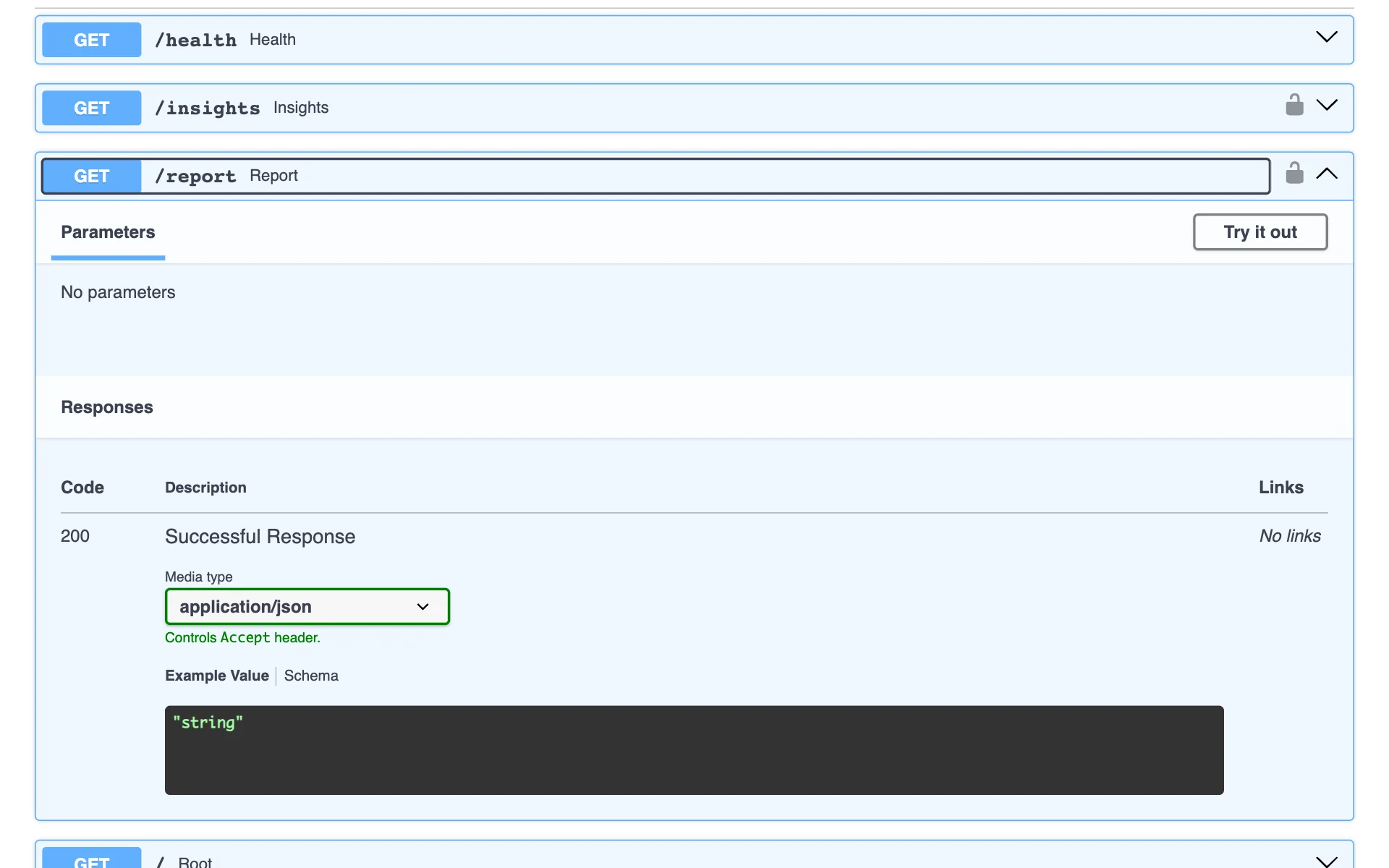
The report endpoint, locked behind an API key
GET /report
The write-up, grounded in the numbers
Computes the same metrics, sends them to Claude, and returns a Markdown report under 300 words with three sections: Summary, Risks, and Recommended actions. The response includes the metrics alongside the text, so every claim can be checked against its source.
Why it mattersA report you can't verify is just a confident paragraph — returning the data with it keeps the model accountable.
05Design decisions
Code counts, the model writes
- The model never sees raw Jira data. Claude receives a small JSON object of pre-computed metrics, not hundreds of tickets. It has less to misread, and the arithmetic is never left to it.
- The prompt says what not to claim. The instructions forbid inventing issues, people, dates, or deadlines, and tell the model to say so when the data is too thin to support a conclusion.
- Age is not the same as stuck. The metric measures days since an issue was created, not since it last moved. The prompt spells that out, so an old issue isn't reported as stalled on age alone.
- Every failure gets an honest status code. A bad API key returns 401. A missing server setting returns 500. Jira or Anthropic being unreachable returns 502, and a rate limit returns 503 — each with a message that says what went wrong.
-
Secrets and real data stay out of the repository.
Credentials load from environment variables, and the
folder holding fetched Jira data was added to
.gitignorebefore the first run. - The health check is public, the data is not. Anyone can confirm the service is up; only a caller with the key can read a project's metrics or spend tokens on a report.
06Technical implementation
The stack, verified from the repository
This is a back-end project with no interface of its own beyond the generated API documentation. I built it in four stages, each on its own branch and merged through a pull request: the Jira client, the metrics, the report, and the API service.
- Language
- Python, running on 3.12 in production
- API
- FastAPI served by Uvicorn, with interactive OpenAPI documentation generated at
/docs - Jira client
- The
requestslibrary against Jira Cloud's/rest/api/3/search/jqlendpoint, with basic auth, 30-second timeouts, and cursor pagination - Metrics
- Pure functions over the issue list using
collections.Counterand timezone-aware datetimes; "now" is a parameter so ages are testable - Report
- The Anthropic Python SDK calling Claude with a fixed system prompt and the metrics as JSON
- Auth
- An
X-API-Keyheader checked with a constant-time comparison - Testing
- 17 pytest tests covering the metrics, the report, and every endpoint, with Jira and Claude mocked so no test touches a real service
- CI
- GitHub Actions runs the test suite on every push and pull request to
main - Deployment
- A Docker image built from
python:3.12-slim, deployed on Render
07Technical challenges
Three problems worth solving properly
A pagination bug that hid on small data
- Challenge
- Jira returns issues a page at a time, with an opaque token pointing to the next page. My first loop read the token but never passed it back — and with everything fitting on one page, it ran without a single error.
- Why it mattered
- On a real project the script would have failed on page two, or worse, quietly reported on a fraction of the issues.
- Approach
- I dropped the page size to five to force multiple pages, which exposed the bug immediately. The loop now hands the token back unchanged and stops only when Jira sends none, instead of calculating page counts itself.
- Result
- The fetch retrieves every issue regardless of project size, and tolerates the last page arriving with no token at all.
- What I learned
- Test with data small enough to hit the edges — and let the server say when it's finished rather than doing the math for it.
Keeping the report honest
- Challenge
- A model asked to assess project health tends to fill gaps with plausible detail: a deadline that was never set, an issue described as "stuck" because it is old.
- Why it mattered
- One invented fact in a delivery report makes the whole report untrustworthy.
- Approach
- Claude only receives pre-computed metrics. The system prompt fixes the report's structure, caps its length, requires each risk to cite a specific number or issue key, defines what the age metric does and doesn't mean, and tells the model to admit when the data is thin.
- Result
- Reports stay tied to figures that appear in the same response, where they can be checked.
- What I learned
- Most of the work in using a language model well is deciding what it is given and what it is forbidden to say.
Turning a script into a service
- Challenge
- The original command-line code printed a message and exited the program whenever something went wrong. Inside a web server, that would take the whole service down on one bad request.
- Why it mattered
- The same fetch logic had to serve both the command line and the API without being written twice.
- Approach
- I replaced the exits with a dedicated
JiraErrorexception. The command-line entry point catches it and exits; the API catches it and returns the matching HTTP status. The tests mock Jira and Claude to check each failure path. - Result
- One set of functions runs in both places, and a failure upstream produces a clear error response instead of a crash.
- What I learned
- Code that decides what went wrong shouldn't also decide what to do about it — raise the error and let the caller choose.
08Outcome
Deployed, tested, and open source
The service is running at jira-delivery-insights.onrender.com (opens in a new tab), where the health check and documentation are public and the data endpoints require a key. The full source, tests, and commit history are on GitHub (opens in a new tab).
09Reflection
What I'm taking with me
The technical lessons are in the challenges above. The personal ones are mine to write — placeholders below so this section stays honest until I do.
Why Jira, and why delivery reporting — what made you pick this problem?
What surprised you most about working with a language model in code?
Which of the four stages taught you the most, and why?
What would you change if you rebuilt it from scratch?
What metric or feature is next?
Read the code
The fastest way to judge it is to read the source and the tests.